
Overview
JTastyToast is jdashboardUI's animated notification system for B4J.
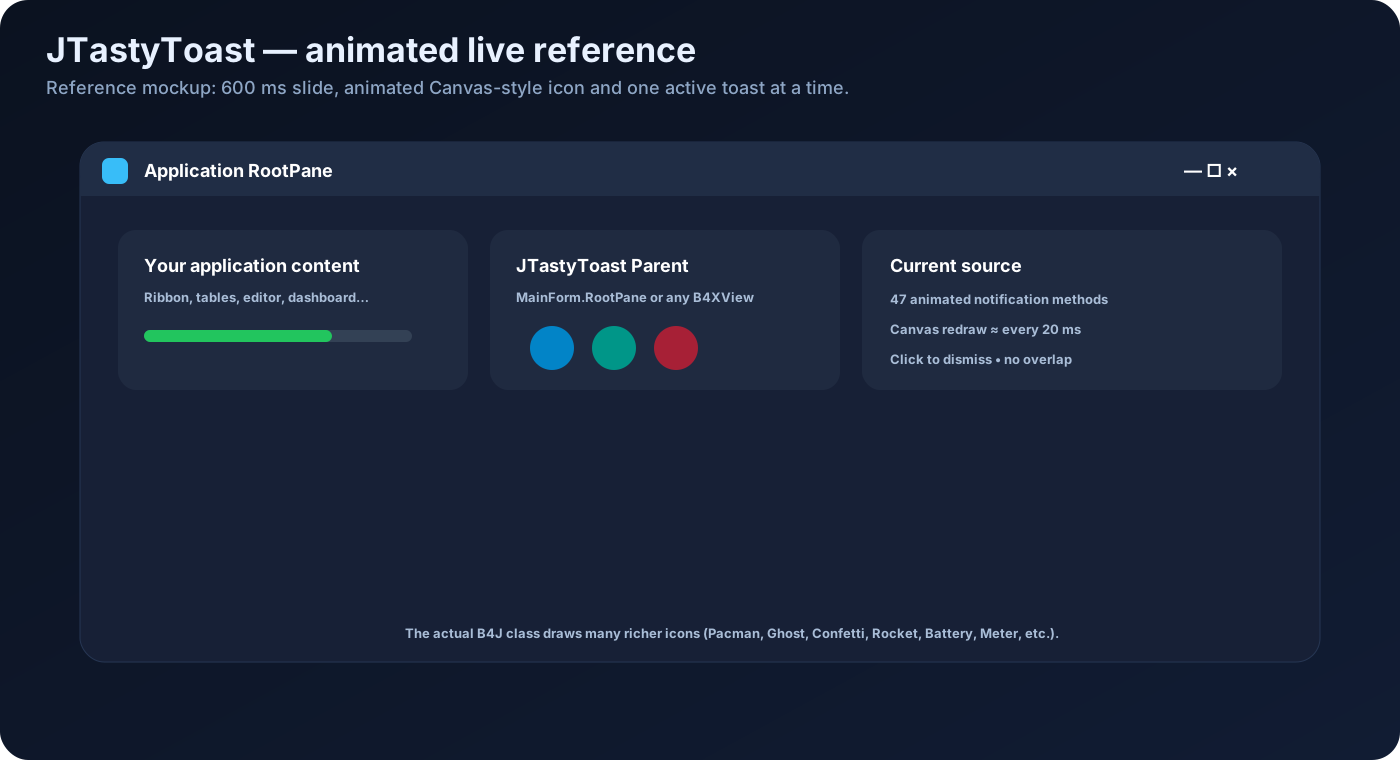
It does not rely on Android native Toasts or GIF icons. The current implementation creates each notification inside a B4XView, renders the icon in real time with Canvas + JavaObject, and animates both the icon and the toast container.
The current source provides 47 animated toast types.
Dim Tasty As JTastyToast
Tasty.Initialize(MainForm.RootPane)

Tasty.Success("Task completed successfully!")
The toast is centered near the bottom of its Parent, slides in, animates its icon and closes automatically after the configured duration.
B4X history and evolution
The name Tasty Toast appeared on the B4X forum in 2016 as a B4A wrapper around an external Android project. That implementation followed Android Toast behavior and mainly offered short / long duration.
Historical thread:
https://www.b4x.com/android/forum/threads/tasty-toast.69671/
jdashboardUI's JTastyToast is different: it is a native B4J / JavaFX implementation.
In February 2026, JTastyToast HD was announced as part of jdashboardUI v23 with 17 animations, Canvas / JavaObject drawing, replacement of active notifications to avoid overlap and three global durations.
Announcement:
The current source has grown to 47 notification methods, plus gradients, alpha, background color, text color, custom font and CornerRadius.
Initialize(Parent As B4XView)
Recommended:
Private Tasty As JTastyToast
Tasty.Initialize(MainForm.RootPane)
Any valid B4XView can be used as Parent.
The Parent should already have valid Width and Height values because positioning depends on them.
Real lifecycle
public method
    ↓
InternalShow
    ↓
remove previous toast
    ↓
calculate color and size
    ↓
create Panel + Canvas + Label
    ↓
add below Parent
    ↓
SetLayoutAnimated(600 ms)
    ↓
redraw icon about every 20 ms
    ↓
wait configured duration
    ↓
HideToast
    ↓
SetLayoutAnimated(600 ms) downward
    ↓
RemoveViewFromParent
There are two animation layers: container motion and Canvas icon animation.
Position and dimensions
Final position:
- horizontally centered;
- roughly 40dip above the Parent bottom edge.
Entrance: about 600 ms.
Exit: about 600 ms.
Normal height: 50dip.
Long wrapped message height: 75dip.
Text width is internally limited to about 400dip.
Total width is approximately text width + 115dip.
Real-time HD drawing
The icon uses an approximately 45dip × 45dip Canvas.
The current loop redraws it about every 20 ms, allowing pulses, rotation, scaling, particles and bouncing without external GIF files.
Global duration
| Constant | Value |
|---|---|
| LENGTH_SHORT | 2500 ms |
| LENGTH_NORMAL | 4500 ms |
| LENGTH_LONG | 7000 ms |
Default: LENGTH_NORMAL.
Tasty.setDuration(Tasty.LENGTH_SHORT)
Tasty.Success("Saved!")
The selected duration stays active for later messages.
Automatic replacement
Only one toast stays active.
Tasty.Info("Connecting...")
Tasty.Success("Connected")
The second replaces the first. CurrentTag also prevents stale animation loops from continuing.
Click to dismiss
Clicking the toast invokes HideToast and starts the slide-out animation.
The current public API does not expose Close or Dismiss.
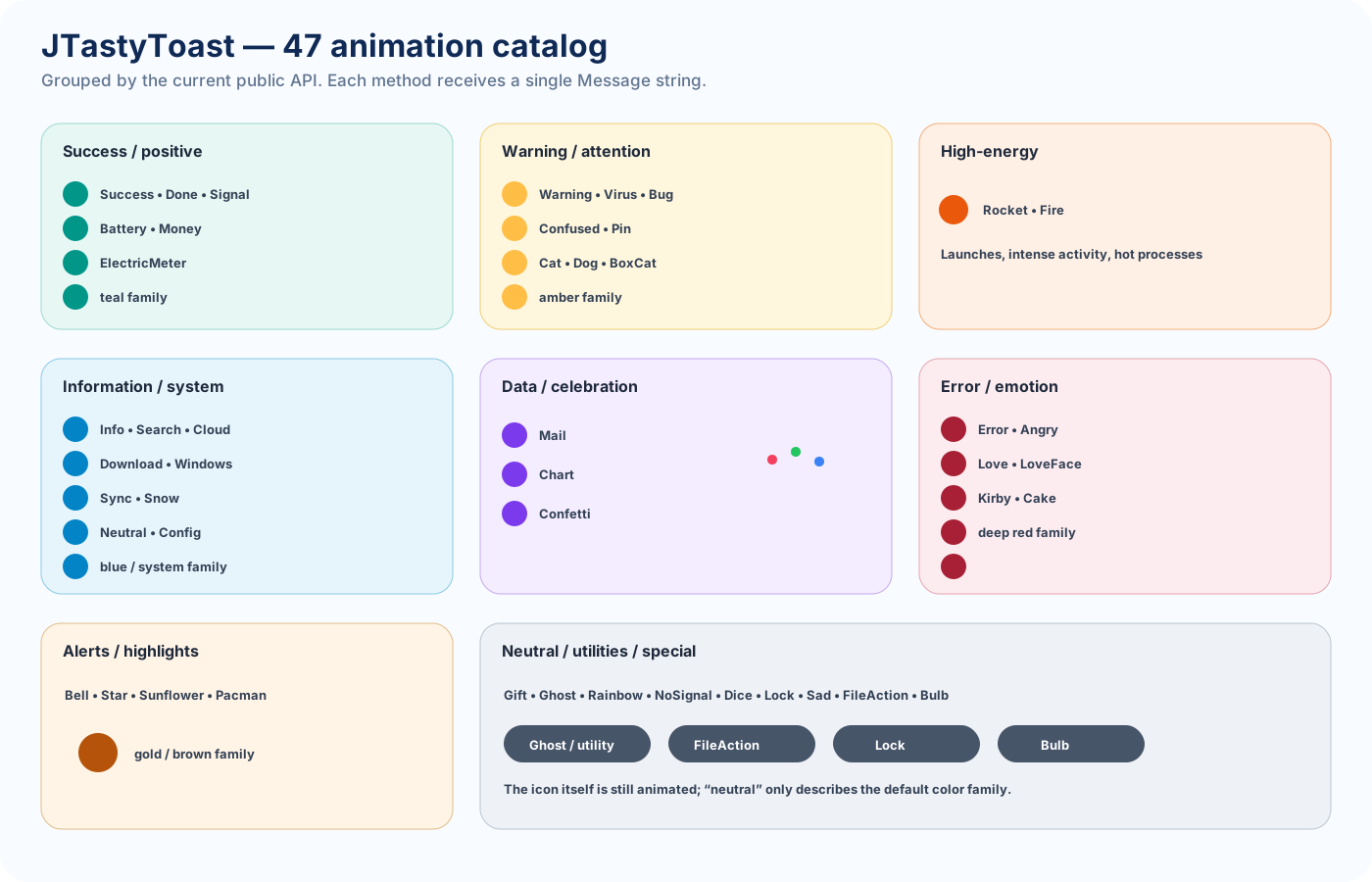
47 animated notifications
Positive / success
Success, Done, Signal, Battery, Money, ElectricMeter
Warning / attention
Warning, Virus, Bug, Confused, Pin, Cat, Dog, BoxCat
High-energy
Rocket, Fire
Information / system
Info, Search, Cloud, Download, Windows, Sync, Snow, Neutral, Config
Data / celebration
Mail, Chart, Confetti
Error / emotion
Error, Angry, Love, LoveFace, Kirby, Cake
Alerts / highlights
Bell, Star, Sunflower, Pacman
Neutral / utility / special
Gift, Ghost, Rainbow, NoSignal, Dice, Lock, Sad, FileAction, Bulb
Every method receives:
Message As String
Gradient mode
Default: False.
Tasty.setUseGradient(True)
Gradient pairs are selected by animation type.
A custom BackColor takes priority over gradient rendering.
Alpha
Tasty.setAlpha(220)
Expected range: 0 .. 255.
In gradient mode it is converted to CSS alpha by dividing by 255.
Current implementation note: a custom BackColor is assigned directly and does not automatically inherit the global alpha.
Custom background
Tasty.setBackColor(xui.Color_RGB(30, 30, 35))
Use 0 to return to default background behavior.
Text color
Default text is white.
Tasty.setTextColor(xui.Color_Yellow)
Use 0 for default behavior.
Custom font
The default font is based on OpenSans-SemiBold.ttf at about size 15.
Tasty.setCustomFont(xui.CreateDefaultBoldFont(16))
CornerRadius
Tasty.CornerRadius = 18dip
Default: 25dip.
Complete customization
Tasty.Initialize(MainForm.RootPane)

Tasty.CornerRadius = 18dip
Tasty.setDuration(Tasty.LENGTH_LONG)
Tasty.setUseGradient(True)
Tasty.setAlpha(225)
Tasty.setTextColor(xui.Color_White)
Tasty.setCustomFont(xui.CreateDefaultBoldFont(15))

Tasty.Download("Downloading update...")
WindowsStyle integration
ui.Initialize(Me, MainForm, "ui", fx.Colors.RGB(30, 30, 46))
ui.RootPane.LoadLayout("Main")

Tasty.Initialize(ui.RootPane)
MainForm.Show

Tasty.Success("Application ready")
The toast is positioned relative to the visible WindowsStyle content area.
Performance
Canvas is redrawn approximately every 20 ms while active.
Recommended usage:
- use JTastyToast for meaningful feedback, not as a logger;
- avoid dozens of calls per second;
- use LENGTH_SHORT for frequent confirmations;
- reserve LENGTH_LONG for messages that need reading time;
- remember that a new toast replaces the active one.
Public API
Initialize(Parent As B4XView)
setUseGradient(UseGradient As Boolean)
setDuration(DurationType As Int)
setAlpha(alpha As Double)
setBackColor(Clr As Int)
setTextColor(Clr As Int)
setCustomFont(fnt As B4XFont)
Public field:
CornerRadius As Int
Constants:
LENGTH_SHORT
LENGTH_NORMAL
LENGTH_LONG
Notification methods:
Success
Signal
Battery
Money
Done
ElectricMeter
Virus
Warning
Cat
Dog
Bug
BoxCat
Confused
Pin
Rocket
Fire
Info
Search
Cloud
Download
Windows
Sync
Snow
Neutral
Config
Mail
Chart
Confetti
LoveFace
Love
Angry
Error
Kirby
Cake
Bell
Star
Sunflower
Pacman
Gift
Ghost
Rainbow
NoSignal
Dice
Lock
Sad
FileAction
Bulb
Important implementation details
- one active toast;
- new toast replaces the previous one;
- click to dismiss;
- approximately 600 ms entrance;
- approximately 600 ms exit;
- 45dip Canvas;
- wrapped text;
- approximately 400dip internal text width cap;
- final position about 40dip above the Parent bottom;
- solid or gradient background;
- custom BackColor overrides gradient;
- no public toast-closed event;
- no public Close / Dismiss method.
Quick start
Private Tasty As JTastyToast

Tasty.Initialize(MainForm.RootPane)
Tasty.setDuration(Tasty.LENGTH_NORMAL)
Tasty.setUseGradient(True)

Tasty.Success("Ready!")